
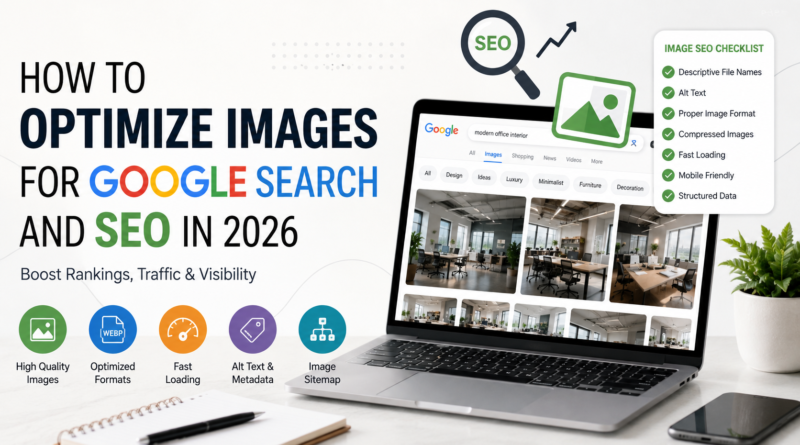
How to Optimize Images for Google Search and SEO in 2026
Introduction
Images have become one of the most valuable assets for modern websites. They improve user experience, increase engagement, and help explain information more effectively than text alone. In 2026, image optimization is no longer limited to reducing file size or adding a simple alt tag. Google’s search algorithms now analyze image quality, page relevance, loading speed, structured data, and user experience to determine how images should rank in search results.
Whether you manage a blog, eCommerce store, portfolio, news website, or business website, properly optimized images can increase organic traffic, improve search visibility, and create a better experience for visitors. Google Images continues to generate millions of searches every day, making image SEO an essential part of any digital marketing strategy.
This guide explains the latest techniques, best practices, and optimization methods that can help your images perform better in Google Search and Google Images while supporting your overall website SEO.
Why Image SEO Matters More Than Ever
Images influence both search rankings and user behavior. A well-optimized image can appear in Google Images, rich search results, Discover, and other visual search experiences.
Benefits of image optimization include:
- Increased organic traffic
- Better page experience
- Faster website loading
- Improved accessibility
- Higher engagement
- Better mobile performance
- Stronger search visibility
- Enhanced brand credibility
For websites that rely on visual content, image SEO has become just as important as traditional on-page optimization.
Use High-Quality Original Images
Google rewards original and useful content, and that includes images. Whenever possible, create your own photographs, graphics, illustrations, or infographics instead of relying entirely on stock photos.
Original images help your website stand out because they:
- Offer unique value
- Build trust
- Support brand identity
- Improve search relevance
- Increase user engagement
Professional-quality images also encourage visitors to stay on your pages longer.
Choose the Right Image Format
Selecting the correct file format affects both quality and loading speed.
Common formats include:
JPEG (JPG)
Ideal for photographs because it balances image quality and file size.
PNG
Best for graphics, screenshots, and images requiring transparent backgrounds.
WebP
Provides excellent compression while maintaining image quality and is widely supported by modern browsers.
Choosing the appropriate format improves performance without sacrificing visual clarity.
Compress Images Without Losing Quality
Large image files slow websites and negatively affect page speed. Compress images before uploading them to reduce file size while preserving detail.
Image compression offers several advantages:
- Faster page loading
- Better mobile experience
- Lower bandwidth usage
- Improved Core Web Vitals
- Better SEO performance
Avoid over-compressing images, as excessive compression can create visible artifacts and reduce image quality.
Use Descriptive File Names
Many websites still upload images with generic names such as:
IMG001.jpg
Instead, rename files using descriptive keywords that match the image content.
For example:
professional-product-photo.jpg
wedding-photographer-portrait.jpg
lightroom-classic-editing-workflow.jpg
Meaningful filenames help search engines understand image content.
Write Effective Alt Text
Alternative text remains one of the most important image SEO factors.
Good alt text should:
- Describe the image naturally
- Be concise and accurate
- Include relevant keywords when appropriate
- Improve accessibility for screen readers
Example:
“Professional photographer editing RAW landscape images in Adobe Lightroom Classic.”
Avoid stuffing keywords into every alt attribute.
Add Captions When Appropriate
Captions provide additional context for readers and search engines.
While not every image requires a caption, useful captions can:
- Improve user engagement
- Clarify image content
- Increase readability
- Support surrounding content
Readers often look at images before reading the full article, making captions an effective communication tool.
Place Images Near Relevant Content
Google evaluates the relationship between an image and the surrounding text.
For better SEO:
- Position images close to relevant paragraphs.
- Match headings with supporting visuals.
- Keep captions consistent with page topics.
Context helps search engines understand why an image belongs on the page.
Optimize for Mobile Devices
Most users now browse websites on smartphones and tablets.
Images should:
- Resize automatically
- Display correctly on all screen sizes
- Load quickly
- Remain sharp without excessive file size
Responsive design ensures visitors have a positive experience regardless of their device.
Improve Page Speed
Image optimization directly affects website performance.
Ways to improve speed include:
- Compress images
- Use modern image formats
- Enable browser caching
- Implement lazy loading
- Deliver images through a Content Delivery Network (CDN)
Fast-loading pages improve both user satisfaction and search rankings.
Use Structured Data
Structured data helps Google understand your content more effectively.
Depending on your website, you may use schema for:
- Articles
- Products
- Recipes
- Organizations
- ImageObject
Adding structured data can increase eligibility for enhanced search features and improve visibility.
Create an Image Sitemap
Image sitemaps help search engines discover visual content that might otherwise be missed.
An image sitemap can:
- Improve indexing
- Highlight important images
- Support large image galleries
- Increase visibility in Google Images
Keeping your sitemap updated ensures new content is crawled more efficiently.
Optimize for Google Lens and Visual Search
Visual search continues to grow through tools such as Google Lens.
To improve visibility:
- Upload clear, high-resolution images
- Show products from multiple angles
- Avoid excessive text overlays
- Use realistic colors
- Provide descriptive metadata
Well-optimized images are more likely to appear in visual search results.
Improve Accessibility
Accessibility is an important part of modern SEO.
Use images that:
- Include descriptive alt text
- Maintain sufficient contrast
- Avoid embedding essential information only within graphics
- Support users with visual impairments
Accessible websites provide a better experience for every visitor.
Common Image SEO Mistakes
Avoid these common issues:
- Uploading oversized images
- Using blurry photographs
- Missing alt text
- Generic filenames
- Duplicate stock photos
- Slow-loading pages
- Ignoring mobile optimization
- Missing structured data
Correcting these problems can improve search visibility and user experience.
Best Practices Checklist
Before publishing any image, confirm that it meets these standards:
- High quality
- Original whenever possible
- Correct format
- Compressed for web
- Descriptive filename
- Helpful alt text
- Relevant placement
- Mobile friendly
- Fast loading
- Indexed through a sitemap
Following this checklist consistently strengthens long-term SEO performance.
Frequently Asked Questions
Does image SEO still matter in 2026?
Yes. Images remain an important ranking factor for Google Images, visual search, and overall page quality.
Which image format is best?
JPEG works well for photographs, PNG is useful for graphics, and WebP offers an excellent balance between quality and file size.
Is alt text still important?
Absolutely. Alt text improves accessibility while helping search engines understand image content.
Should I use stock photos?
Original images generally provide more value, although carefully selected stock photos can still be useful when relevant.
How often should images be optimized?
Every image uploaded to your website should be optimized before publication.
Conclusion
Image optimization has become an essential part of modern SEO. Google’s advanced algorithms evaluate much more than filenames and alt text—they analyze image quality, relevance, loading speed, structured data, accessibility, and overall user experience.
By creating original visuals, compressing files properly, writing descriptive alt text, improving page speed, and following current SEO best practices, website owners can significantly improve image visibility in Google Search and Google Images. Consistent optimization not only attracts more visitors but also enhances the overall quality and credibility of your website.
Need Professional Image Editing for Your Business?
High-quality, professionally edited images are essential for achieving better search visibility and creating a strong first impression. Whether you manage an online store, photography business, digital marketing agency, or corporate website, polished visuals can improve engagement and support your SEO strategy.
Photo Editing Services Company. provides expert image editing solutions for businesses and photographers worldwide.
Professional services include:
- Clipping Path
- Background Removal
- Image Masking
- Product Photo Editing
- High-End Photo Retouching
- Ghost Mannequin Effects
- Jewelry Photo Retouching
- Real Estate Photo Enhancement
- Color Correction
- Bulk Image Editing
Learn more about their professional editing services by visiting:
https://www.photoeditingservicesco.com/
With experienced editors, fast turnaround times, and consistent quality, Photo Editing Services Co. helps businesses create visually impressive images optimized for websites, eCommerce platforms, digital marketing campaigns, and Google Search.
