
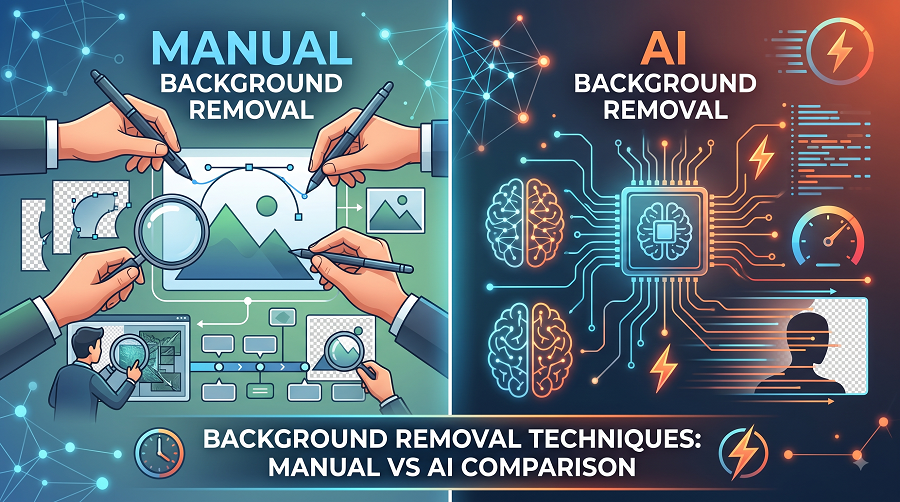
Background Removal Techniques: Manual vs AI Comparison
In the modern digital landscape, visual content dictates consumer engagement, brand perception, and online conversion rates. Whether displaying products on an e-commerce platform like Amazon or Shopify, crafting high-impact advertising campaigns, or designing sleek editorial layouts, clean imagery is essential. At the center of professional visual content creation lies one fundamental image editing task: background removal.
Isolating a subject from its background allows graphic designers, photo editors, and marketers to place products on pure white backdrops, create dynamic composited scenes, or seamlessly integrate graphics into diverse marketing channels. Historically, background removal required hours of meticulous, manual vector plotting by skilled photo retouching professionals. Today, automated Artificial Intelligence (AI) algorithms promise background removal in milliseconds.
This article provides an in-depth comparison of manual vs. AI background removal techniques, analyzing their underlying mechanics, precision, speed, cost-effectiveness, and real-world performance across complex editing scenarios.
Understanding Manual Background Removal Techniques
Manual background removal encompasses a range of traditional digital editing workflows performed by professional editors using desktop software such as Adobe Photoshop, GIMP, or CorelDRAW. Rather than relying on automated object recognition, manual techniques depend entirely on human vision, hand-eye coordination, and technical expertise.
       [ Input Image ]
              │
              ▼
  ┌──────────────────────┐
  │ Manual Path Creation │ ──► Vector Clipping Path (Pen Tool)
  └──────────────────────┘
              │
              ▼
  ┌──────────────────────┐
  │  Complex Extraction  │ ──► Alpha Channel & Color Range Masking
  └──────────────────────┘
              │
              ▼
  ┌──────────────────────┐
  │ Hand-Refined Masking │ ──► Pixel-Level Edge Smoothing & Decontaminate
  └──────────────────────┘
              │
              ▼
     [ Perfect Cutout ]
Key Manual Tools and Workflows
-
Vector Clipping Path (The Pen Tool):
-
Mechanism: The Pen Tool utilizes mathematical Bezier curves and anchor points to outline the perimeter of an object. This creates a vector-based mask independent of screen resolution.
-
Best Used For: Hard-edged, solid items such as furniture, consumer electronics, footwear, apparel, automotive parts, and packaged goods.
-
Impact: Provides razor-sharp edges without pixelation or blur, enabling infinite scalability without quality loss.
-
-
Alpha Channel Masking & Color Range Selection:
-
Mechanism: Editors isolate specific color spectrums or contrast channels (Red, Green, Blue) to create a high-contrast black-and-white mask.
-
Best Used For: Highly intricate subjects like human hair, animal fur, tree foliage, feathers, and fine textiles.
-
Impact: Preserves individual strands of hair and subtle translucency that standard vector outlines cannot capture.
-
-
Layer Masking and Hand-Brushing:
-
Mechanism: Non-destructive editing using custom pressure-sensitive brushes on digital graphics tablets (e.g., Wacom). Editors manually paint gray values to define opacity, transparency, and soft transitions.
-
Best Used For: Semi-transparent objects such as glassware, liquid splashes, wedding veils, and soft shadows.
-
Advantages of Manual Background Removal
-
Pixel-Perfect Accuracy: Human editors inspect images at 300% to 500% zoom, ensuring every anchor point sits precisely along the true boundary of the subject.
-
Contextual Understanding: A human artist instinctively understands whether a subtle shadow belongs to the product or the background, preventing accidental clipping of crucial details.
-
Flawless Handling of Edge Cases: Manual techniques excel when subjects blend into their backgrounds (low-contrast areas), or when dealing with complex refraction through glass or water.
-
Custom Edge Refinement: Enables custom color decontamination along edges to eliminate harsh reflections or color spill from the original background.
Limitations of Manual Background Removal
-
Time-Intensive: A single complex product image can take anywhere from 10 to 45 minutes to manually cut out, making high-volume catalog processing slow.
-
Steep Learning Curve: Mastering Bezier curve manipulation and alpha channel selections requires months or years of professional training.
-
Higher Labor Costs: Requires hiring skilled graphic design professionals or dedicated photo editing agencies.
Understanding AI-Powered Background Removal
AI-powered background removal relies on deep learning architectures, specifically Convolutional Neural Networks (CNNs) and Vision Transformers (ViTs) trained on vast datasets containing millions of annotated images.
       [ Input Image ]
              │
              ▼
  ┌──────────────────────┐
  │ Semantic Segmentation│ ──► AI identifies Foreground vs Background
  └──────────────────────┘
              │
              ▼
  ┌──────────────────────┐
  │ Neural Trimap / Matting│──► Generates Alpha Matte (Trimap Probability)
  └──────────────────────┘
              │
              ▼
  ┌──────────────────────┐
  │  Automated Masking   │ ──► Algorithmic Boundary Cut
  └──────────────────────┘
              │
              ▼
   [ Fast Automated Output ]
Core Technologies Behind AI Removal
-
Semantic Segmentation:
-
AI algorithms categorize every pixel in an image into predefined classes (e.g., “person,” “car,” “shoe,” “background”).
-
-
Foreground Matting (Alpha Matting):
-
Advanced AI models predict an alpha value for edge pixels, estimating opacity between 0 (complete background) and 1 (complete foreground) to simulate soft edges.
-
-
Edge Detection Neural Networks:
-
Algorithms analyze gradient changes in tone, texture, and color to infer where an object ends and the background begins.
-
Advantages of AI Background Removal
-
Instantaneous Processing: AI processes images in 1 to 5 seconds per frame, yielding drastic time savings compared to manual workflows.
-
High Scalability: Automated APIs and cloud servers can process tens of thousands of images simultaneously, making bulk catalog processing effortless.
-
Cost Efficiency: Automated web tools and API calls cost pennies per image, dramatically reducing operational overhead for standard stock photos.
-
Zero Technical Barrier: Anyone can upload an image and receive a background-free PNG without specialized photo editing software or training.
Limitations of AI Background Removal
-
Struggles with Low Contrast: When the subject’s color matches the background (e.g., a white sneaker on a light gray floor), AI frequently cuts off edges or leaves background chunks attached.
-
Inconsistent Feathering and Fringing: AI matting often creates blurry, unnatural edges around hair, sheer clothing, or fine mesh screens.
-
Lack of Visual Judgment: AI cannot discern intent. It may accidentally delete fine details like jewelry chains, dress lace, or thin antenna wires thinking they are background noise.
-
Resolution Artifacts: Many free or automated AI tools downsample images during processing, resulting in a loss of high-resolution print-ready quality.
In-Depth Comparison: Manual vs. AI
To better evaluate how manual editing compares to AI background removal across core operational metrics, review the comparison below:
| Performance Metric | Manual Background Removal | AI Background Removal |
| Turnaround Time | 5 to 45 minutes per image | 1 to 5 seconds per image |
| Precision & Accuracy | 99% – 100% (Pixel-level human control) | 80% – 92% (Varies by visual complexity) |
| Low-Contrast Handling | Excellent (Human vision distinguishes subtle boundaries) | Poor to Moderate (Prone to over-clipping or missing edges) |
| Complex Subject Handling | Superior (Preserves hair, glass, mesh, and transparency) | Moderate (Often creates halo effects or blurred edges) |
| Scalability | Linear scaling (Requires additional human labor) | Exponential scaling (Batch API processing) |
| Print & High-Res Quality | Native Resolution preserved without quality degradation | Often downsampled depending on processing model |
| Cost per Image | Higher upfront labor cost | Low per-image API or subscription cost |
Analyzing Real-World Scenarios
To decide which method best serves a project, consider how each technique performs across different photo editing tasks:
1. High-Fashion & Model Photography (Hair & Sheer Fabric)
-
Challenge: Fine strands of flying hair, semi-transparent lace, tulle, and soft focus depth-of-field edges.
-
Winner: Manual Editing (Alpha Channel & Layer Masking)
-
Why: AI models struggle to separate micro-strands of hair from complex background textures without leaving visible color halos or unnatural solid patches. Human editors manually refine color decontamination to clean up cast light.
+-------------------------------------------------------------------------+
|                  HAIR & FINE DETAIL EXTRACTION ACCURACY                 |
|                                                                         |
| Manual (Alpha Mask)  [========================================] 98%     |
| AI Auto-Segmentation [==========================............] 65%       |
+-------------------------------------------------------------------------+
2. Standard E-Commerce Catalogs (Footwear, Electronics, Apparel)
-
Challenge: Processing thousands of clean product shots on pure white or neutral backgrounds under tight deadlines.
-
Winner: AI-First / Hybrid Workflow
-
Why: High-contrast studio product shots with well-defined borders are ideal candidates for AI tools. AI handles 80% of the initial isolation work instantly, allowing human retouchers to perform quick quality checks.
3. Luxury Jewelry & Reflective Surfaces
-
Challenge: Transparent gemstones, polished chrome reflections, intricate ring bands, and hollow drop earrings.
-
Winner: Manual Editing (Pen Tool Clipping Path)
-
Why: AI routinely truncates thin chain links, misinterprets reflections as background elements, and fails to cut through the internal negative spaces (holes) of delicate rings or filigree artwork.
The Ultimate Solution: The Hybrid Workflow
The debate between manual and AI background removal does not have to be an all-or-nothing choice. Leading digital post-production agencies utilize a Hybrid Workflow to maximize both speed and precision.
┌─────────────────┐      ┌─────────────────────────┐      ┌─────────────────────────┐     ┌─────────────────┐
│ Raw Image Upload│ ───► │ AI Initial Segmentation │ ───► │ Human Expert Inspection │ ───► │ Final High-Res  │
│  (Bulk Batches) │      │  (Instant Pre-Masking)  │      │ & Pen Tool Refinement   │      │ Deliverable     │
└─────────────────┘      └─────────────────────────┘      └─────────────────────────┘      └─────────────────┘
-
Phase 1 (AI Pre-Processing): Raw images are passed through an AI algorithm to quickly generate initial background selections and eliminate obvious negative space.
-
Phase 2 (Human Quality Assurance): Professional photo retouchers inspect the generated masks at high magnification, manually adjusting anchor points using the Pen Tool on complex edges, preserving fine details, and restoring clipped features.
-
Phase 3 (Polishing & Shadow Creation): Human editors add natural drop shadows, reflection passes, and color correction—finishing touches that AI alone cannot reliably produce.
This hybrid approach cuts turnaround time significantly while ensuring every deliverable meets professional commercial standards.
Conclusion
Both manual and AI background removal techniques hold distinct advantages depending on your production scale, budget, and quality requirements:
-
Choose AI Background Removal if you require rapid turnarounds, operate on a tight budget, need quick social media visual assets, or handle straightforward images with strong foreground-background contrast.
-
Choose Manual Background Removal if you manage premium e-commerce catalogs, luxury goods, high-fashion editorials, intricate jewelry, or high-resolution print advertisements where pixel perfection is non-negotiable.
For commercial enterprises, scaling e-commerce brands, and professional photographers who cannot compromise on image quality or edge precision, partnering with an experienced post-production team is the most effective strategy.
To get clean, hand-crafted clipping paths, high-end image isolation, and professional photo editing tailored to your brand’s standards, visit Photo Editing Services Company..

JESSICA EDWIN
AdministratorEditorAuthorContributorSubscriberCustomerShop managerCustom Permalinks Manager
Jessica Edwin is an experienced photographer, photo editor and a blogger with a demonstrated history of working in the various industries for the last 10+ years. She has strong organisational skills and administrative experience in handling photo retouching, post-production and budget management. She loves to write articles related to photography industry.
email