
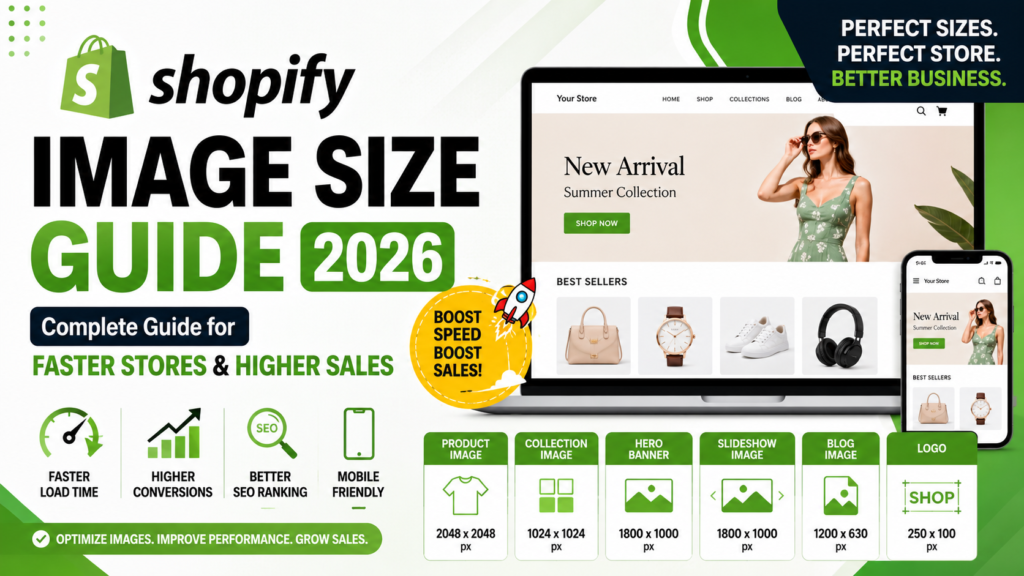
Shopify Image Size Guide 2026: Complete Guide for Faster Stores & Higher Sales
A beautiful Shopify store is more than great products and attractive themes. The quality, size, and optimization of your images directly affect page speed, search rankings, and customer conversions.
Many Shopify store owners upload high-resolution images straight from their camera, thinking bigger is always better. Unfortunately, oversized images slow down pages, reduce mobile performance, and create a poor shopping experience.
This complete Shopify Image Size Guide for 2026 explains the ideal dimensions for every image type, optimization techniques that improve speed without sacrificing quality, and professional editing tips that help online stores increase sales.
Whether you’re running a fashion brand, electronics store, jewelry business, or furniture shop, this guide will help you create faster, cleaner, and more professional product pages.
Why Shopify Image Size Matters
Images are often the largest files on an eCommerce website.
When they’re properly optimized, they help:
- Improve page loading speed
- Increase mobile performance
- Enhance customer experience
- Boost SEO rankings
- Increase conversion rates
- Reduce bounce rates
A fast-loading store builds trust immediately, while slow pages often cause visitors to leave before viewing your products.
Google also considers page experience and loading performance when evaluating websites, making image optimization an important part of Shopify SEO.
Best Shopify Image Sizes for Every Page (2026)
Using consistent image dimensions keeps your store looking professional across desktop and mobile devices.
|
Image Type |
Recommended Size |
|---|---|
|
Product Image |
2048 × 2048 px |
|
Collection Image |
1024 × 1024 px |
|
Homepage Hero Banner |
1800 × 1000 px |
|
Slideshow Banner |
1800 × 1000 px |
|
Blog Featured Image |
1200 × 630 px |
|
Logo |
250 × 100 px |
|
Thumbnail |
300 × 300 px |
These dimensions provide an excellent balance between image quality and loading speed.
Product Images: The Most Important Part of Your Store
Product photos are the first thing shoppers notice.
Clear, professional images increase buyer confidence and reduce hesitation.
Best Practices
- Use square images whenever possible.
- Keep products centered.
- Maintain consistent lighting.
- Show multiple angles.
- Include close-up detail shots.
- Enable zoom-quality images.
Consistency across every product creates a premium shopping experience.
If you need professionally edited product photos, your own Product Photo Retouching Services page is an ideal internal link for readers looking for expert help.
How Large Should Shopify Product Images Be?
Many people ask whether larger images always perform better.
The answer is no.
A 2048 × 2048 pixel image usually provides excellent quality while remaining practical for fast loading.
Uploading huge 6000-pixel camera files only increases loading time without creating noticeable improvements for customers.
The goal is delivering crisp images that load quickly on both desktop and mobile.
Collection Images Should Stay Consistent
Collection pages often lose their professional appearance when every product uses different proportions.
Maintain consistency by:
- Using equal dimensions
- Matching backgrounds
- Keeping similar cropping
- Aligning product positioning
Uniform collections create a cleaner browsing experience.
Homepage Banner Optimization
Your homepage banner creates the first impression.
A great banner should:
- Load quickly
- Stay readable on mobile
- Use high-quality photography
- Leave space for headlines
- Avoid excessive text
Compress banners before uploading because they’re usually among the largest images on a Shopify store.
Mobile Image Optimization
More customers now shop on smartphones than desktops.
Mobile optimization is no longer optional.
Make sure your images:
- Load quickly
- Stay sharp
- Avoid awkward cropping
- Display correctly across screen sizes
Always preview product pages on mobile before publishing.
Image Compression Without Losing Quality
Many store owners worry compression ruins image quality.
Modern compression techniques significantly reduce file size while maintaining excellent visual quality.
Benefits include:
- Faster loading
- Better mobile performance
- Improved Core Web Vitals
- Higher customer satisfaction
Customers notice slow websites much faster than they notice minor compression.
JPEG vs PNG: Which Format Should You Use?
Choosing the right file format makes a noticeable difference.
JPEG
Best for:
- Product photos
- Lifestyle images
- Blog images
Advantages:
- Smaller file size
- Faster loading
- Excellent quality
PNG
Best for:
- Transparent logos
- Graphics
- Icons
Avoid using PNG for every product photo because larger files can slow your store.
How to Name Images for Better SEO
Search engines read image filenames.
Instead of uploading:
IMG_7823.jpg
Use descriptive names like:
- white-running-shoes.jpg
- leather-handbag-brown.jpg
- wireless-headphones-black.jpg
Clear filenames help search engines better understand your images.
Writing Better ALT Text
ALT text improves both accessibility and image SEO.
Good examples:
- White leather sneakers on white background
- Gold diamond engagement ring close-up
- Black wireless headphones side view
Avoid stuffing multiple keywords into ALT text.
Describe exactly what appears in the image.
Background Removal Creates Cleaner Product Pages
Clean backgrounds help products stand out.
Professional background removal offers several advantages.
- Cleaner appearance
- Better consistency
- Improved focus
- More professional branding
If readers want expert editing, naturally link to your Professional Photo Editing Services homepage.
Color Correction Builds Customer Trust
Accurate colors reduce returns.
Professional color correction helps:
- Clothing match real fabric colors
- Jewelry maintain natural shine
- Electronics appear realistic
- Furniture look consistent
Customers appreciate seeing products that match what arrives at their doorstep.
Shadow Creation Makes Products Look Natural
Products floating on white backgrounds often appear unrealistic.
Professional shadows create depth without distracting shoppers.
Popular styles include:
- Natural shadow
- Soft shadow
- Contact shadow
These subtle improvements make product photography look more polished.
Common Shopify Image Mistakes
Avoid these mistakes that hurt performance.
- Uploading oversized camera files
- Using inconsistent image dimensions
- Missing ALT text
- Blurry zoom images
- Poor cropping
- Different background colors
- Heavy image filters
- Oversized homepage banners
Fixing these issues creates a faster and more professional store.
How Professional Photo Editing Improves Shopify Stores
Professional editing creates consistency across your entire catalog.
Benefits include:
- Background removal
- Color correction
- Dust removal
- Reflection cleanup
- Wrinkle removal
- Shadow creation
- Consistent cropping
- Professional presentation
Large stores especially benefit because maintaining hundreds of images manually becomes time-consuming.
Readers interested in learning more can continue to your existing article:
How Product Photo Editing Retouching Boosts Online E-commerce Business
This creates strong internal linking while keeping users engaged.
Shopify Image Optimization Checklist
Before publishing any product page, verify every image.
- High-resolution images
- Correct dimensions
- Optimized file size
- Descriptive filenames
- ALT text added
- Mobile preview checked
- Clean backgrounds
- Proper cropping
- Fast loading
- Multiple product angles
Following this checklist helps maintain a professional and SEO-friendly Shopify store.
Why Fast Stores Convert Better
Customers expect pages to load instantly.
Even small improvements in loading speed can positively influence:
- Time on site
- Product views
- Add-to-cart actions
- Completed purchases
Image optimization is one of the easiest ways to improve both user experience and store performance without redesigning your website.
Final Thoughts
A successful Shopify store combines beautiful design with excellent performance.
Using the correct image sizes, compressing files intelligently, writing descriptive ALT text, and maintaining consistent product photography creates a better shopping experience while supporting SEO.
As competition continues growing in 2026, professional image optimization remains one of the highest-impact improvements for any Shopify business.
Frequently Asked Questions
What is the best Shopify product image size?
2048 × 2048 pixels provides excellent quality while supporting zoom functionality.
Should Shopify images be square?
Square images create a cleaner and more consistent product grid across most themes.
Does image size affect Shopify SEO?
Yes. Properly optimized images improve loading speed, accessibility, and search visibility.
Is JPEG better than PNG for Shopify?
JPEG is usually the best choice for product photography, while PNG works best for transparent graphics.
How many product images should I upload?
Include multiple angles, close-up details, and lifestyle images whenever possible.
