
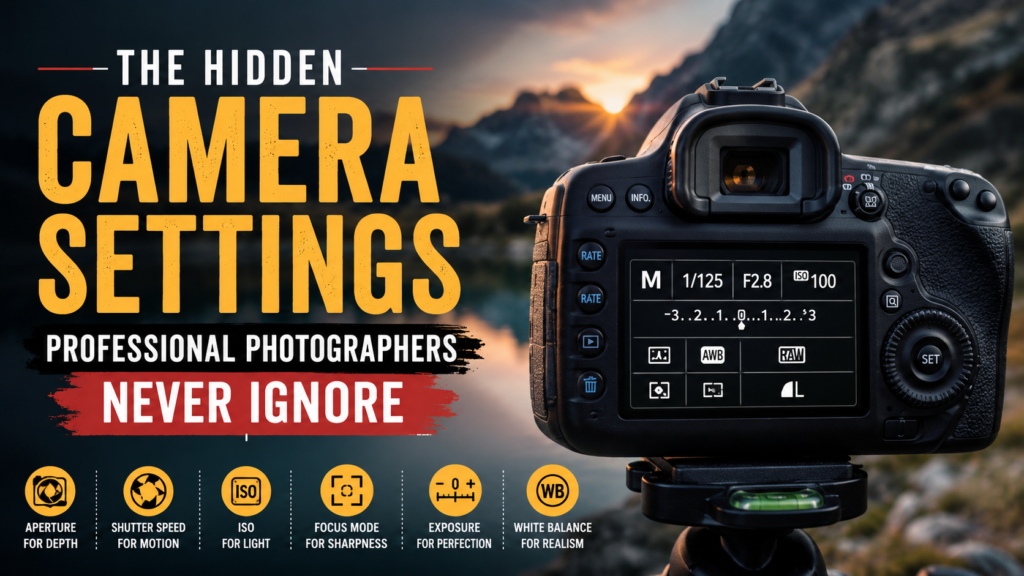
The Hidden Camera Settings Professional Photographers Never Ignore
Photography is no longer just about owning an expensive camera.
Today, even smartphones can produce impressive images. Yet there is still a visible difference between an average photo and a truly professional image.
That difference often comes from something most photographers ignore:
hidden camera settings.
Professional photographers understand that cameras are powerful creative tools filled with advanced controls that dramatically influence image quality, sharpness, color depth, skin tones, dynamic range, and storytelling.
While beginners focus only on aperture, shutter speed, and ISO, professionals customize deeper settings that most people never touch.
These hidden adjustments help photographers create cleaner portraits, cinematic colours, sharper focus, smoother skin tones, and more emotionally powerful images.
In this complete professional guide, you will discover the hidden camera settings professional photographers never ignore and how these settings can instantly improve your photography.
Why Professional Photos Look Different
Many photographers believe professional-quality images come from expensive gear.
But professional photographers know the real difference comes from:
- Camera optimization
- Light control
- Autofocus accuracy
- Dynamic range management
- Color consistency
- Exposure precision
- Post-production workflow
Two photographers can use the exact same camera and create completely different results.
Why?
Because professionals understand how to configure their camera beyond default settings.
These hidden controls improve:
- Sharpness
- Skin tones
- Subject separation
- Motion capture
- Highlight recovery
- Shadow detail
- Editing flexibility
Mastering these settings is one of the fastest ways to make your photos look more professional.
-
Back Button Focus (BBF)
One of the first settings professional photographers enable is Back Button Focus.
Normally, cameras focus when the shutter button is half-pressed.
Professionals separate focusing from shooting by assigning autofocus to a rear button.
This creates faster and more accurate focus control.
Why Professionals Use Back Button Focus
Back Button Focus helps photographers:
- Lock focus more accurately
- Recompose images quickly
- Track moving subjects better
- Avoid accidental refocusing
- Improve portrait sharpness
Sports photographers, wildlife photographers, and wedding photographers heavily rely on this setting.
Once mastered, it becomes difficult to return to standard autofocus methods.
-
Autofocus Tracking Sensitivity
Modern cameras include advanced autofocus customization.
Most beginners never touch these settings.
Professionals always do.
Professional photographers adjust:
- Subject tracking sensitivity
- Eye autofocus behavior
- Motion prediction
- Focus switching speed
Why This Setting Matters
Imagine photographing a bride walking toward the camera.
If autofocus sensitivity is too aggressive, the camera may suddenly focus on background guests instead.
Professionals reduce tracking sensitivity to maintain stable subject focus.
Sports photographers may increase responsiveness for fast-moving action.
These small autofocus adjustments dramatically improve image sharpness.
-
Auto ISO Control
Auto ISO is powerful when used correctly.
Professionals never leave ISO fully uncontrolled.
Instead, they customize:
- Maximum ISO limits
- Minimum shutter speed
- Exposure behaviour
Professional Workflow Example
A portrait photographer may limit ISO to 1600 to preserve smooth skin texture.
A wildlife photographer may allow ISO 6400 to freeze fast movement.
Beginners often let cameras increase ISO excessively, creating noisy images.
Professionals carefully balance exposure and image quality.
-
Highlight Warnings and Histograms
Professional photographers constantly monitor highlights.
Overexposed highlights permanently destroy image information.
That is why professionals activate:
- Histogram display
- Zebra exposure warnings
- Highlight clipping alerts
Why Highlight Protection Matters
Professional photography depends heavily on dynamic range.
Wedding dresses, clouds, bright skin tones, and reflective surfaces lose detail quickly when overexposed.
Professionals expose carefully to preserve:
- Skin texture
- Bright clothing detail
- Sky information
- Light gradients
This creates cleaner and more cinematic images.
-
Custom White Balance
Auto White Balance often creates inconsistent colors.
Professional photographers prefer:
- Kelvin adjustments
- Custom white balance presets
- Gray card calibration
Why White Balance Is Critical
Poor white balance creates:
- Orange skin tones
- Green indoor lighting
- Blue shadows
- Difficult editing sessions
Professionals aim for accurate and consistent colors directly inside the camera.
This dramatically reduces editing time.
Luxury portrait photographers especially rely on precise white balance control.
-
Shooting in RAW Format
Professional photographers almost always shoot in RAW.
RAW files contain significantly more image information than JPEG files.
Benefits of RAW Photography
RAW images provide:
- Better highlight recovery
- Greater shadow detail
- More color depth
- Flexible editing options
- Higher-quality retouching
RAW files are essential for professional editing workflows.
Many editing studios and retouching companies prefer RAW files because they preserve maximum image quality.
-
Silent Shutter Mode
Silent shooting is extremely important for professional photography.
Professionals frequently use silent mode for:
- Weddings
- Religious ceremonies
- Wildlife photography
- Corporate events
- Documentary photography
Why Silent Shooting Helps
A loud shutter can interrupt emotional moments.
Silent mode allows photographers to work invisibly.
However, professionals also understand the limitations of electronic shutters, including:
- Rolling shutter distortion
- Light flickering
- Banding problems
Knowing when to use silent mode is part of professional camera mastery.
-
Flat Picture Profiles
Professional photographers and filmmakers rarely use standard picture profiles.
Instead, they choose:
- Flat profiles
- Neutral contrast settings
- Low sharpening presets
- Log color modes
Why Flat Profiles Matter
Flat image profiles preserve more information in highlights and shadows.
This gives photographers greater flexibility during editing and color grading.
Cinematic photography often begins with flat image capture.
-
Exposure Compensation
Professional photographers constantly adjust exposure compensation.
Beginners often ignore it.
Why Exposure Compensation Is Powerful
Camera metering systems are not always accurate.
For example:
- Snow scenes often appear gray
- Dark clothing becomes overexposed
- Bright backgrounds can confuse exposure systems
Professionals quickly correct exposure using compensation controls.
This produces more balanced images directly inside the camera.
-
Focus Peaking for Manual Focus
Manual focus still plays a major role in professional photography.
Professionals use focus peaking for:
- Macro photography
- Product photography
- Video production
- Low-light photography
- Creative portraits
Why Focus Peaking Helps
Focus peaking highlights sharp areas in real time.
This makes manual focus significantly more accurate.
Professional filmmakers and commercial photographers rely heavily on this feature.
The Biggest Secret Professional Photographers Understand
Professional photographers rarely use default camera settings.
They customize their cameras for speed, reliability, consistency, and artistic control.
Every professional develops a personalized workflow optimized for:
- Fast shooting
- Reliable autofocus
- Better color science
- Consistent exposure
- Efficient editing
- Strong storytelling
The camera becomes an extension of the photographer’s creative vision.
Common Photography Mistakes That Ruin Image Quality
- Shooting Everything in Auto Mode
Professionals control their camera settings intentionally.
Automatic settings often produce inconsistent results.
- Ignoring Lighting Direction
Light is the foundation of photography.
Even expensive cameras cannot fix poor lighting.
- Over sharpening Photos
Many beginners over-edit their images.
Professional editing looks natural and balanced.
- Ignoring Background Distractions
Professional photographers carefully manage every background element.
Clean compositions improve image quality dramatically.
- Poor Color Consistency
Random color tones make portfolios look amateur.
Professionals maintain consistent color grading across projects.
Professional Editing Matters More Than Most Photographers Realize
Modern photography is heavily connected to post-production.
Even professional photographers spend significant time on:
- Skin retouching
- Color correction
- Exposure balancing
- Background cleanup
- High-end photo enhancement
- Product retouching
- Wedding photo editing
Professional editing helps transform a good image into a premium final result.
For photographers, studios, eCommerce brands, wedding professionals, and agencies looking for high-end editing support, Photo Editing Services Company provides professional photo retouching, clipping path services, background removal, wedding photo editing, product retouching, and advanced image enhancement solutions.
Their professional editing workflow helps photographers save time, maintain consistency, and deliver premium-quality images to clients faster.
Final Thoughts
Professional photography is not about secret cameras.
It is about understanding the hidden controls that shape image quality.
The photographers who master autofocus systems, dynamic range, white balance, exposure control, and professional workflows consistently create stronger images.
Small camera settings create massive visual differences.
That is why professional photographers never ignore them.
If you want your photos to look cinematic, clean, emotional, and professional, start learning the advanced settings hidden inside your camera today.
Because great photography is created through both technical precision and artistic storytelling.
Frequently Asked Questions (FAQs)
What camera settings do professional photographers use?
Professional photographers commonly use manual mode, RAW format, back button focus, custom white balance, autofocus tracking, and controlled ISO settings.
Why do professional photos look sharper?
Professional photographers optimize autofocus settings, lighting direction, lens selection, and shutter speed carefully.
Is expensive camera gear necessary?
No. Understanding light and camera settings matters more than expensive equipment.
Should beginners shoot RAW or JPEG?
RAW is recommended because it preserves more image information for editing.
How do professionals edit photos?
Professionals use advanced color grading, retouching, sharpening control, and exposure balancing techniques.
