
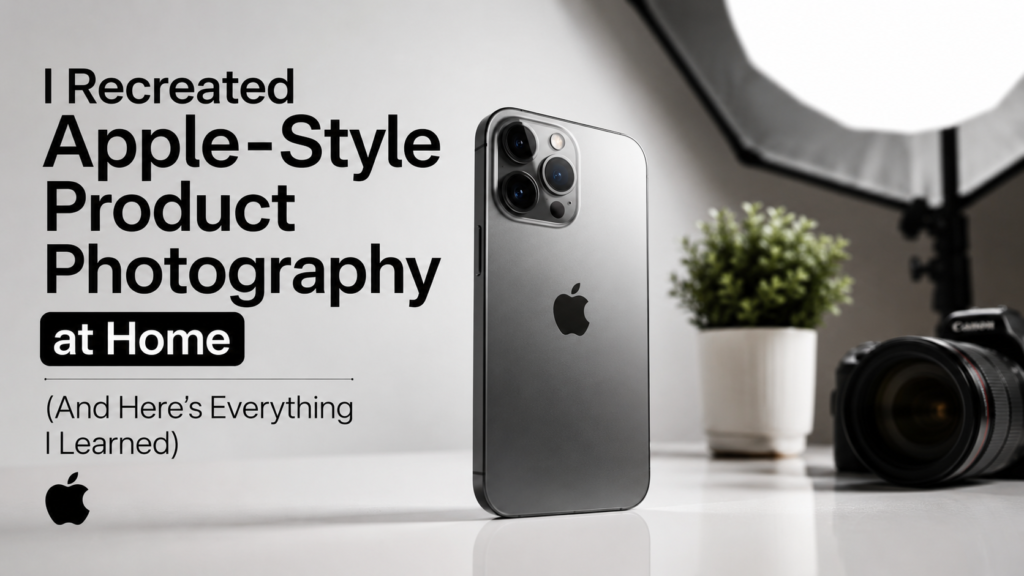
I Recreated Apple-Style Product Photography at Home (And Here’s Everything I Learned)
The lighting is cleaner. The reflections look controlled. The products appear premium, minimal, and almost futuristic. Every shadow feels intentional. Every surface looks flawless.
For years, many photographers believed you needed a $20,000 studio setup to create that level of product photography. But after weeks of testing, experimenting, failing, and rebuilding my setup from scratch, I discovered something surprising:
You can recreate Apple-style product photography at home — even with a small budget.
In this article, I’ll explain:
- The exact lighting setup
- Camera settings
- Background tricks
- Reflection control techniques
- Editing workflow
- Retouching secrets
- Common mistakes
- AI tools
- How professionals create “luxury product” visuals
- And when you should outsource editing to professionals
If your product photos look dull, cheap, or amateur, this guide will solve that.
What Makes Apple-Style Product Photography So Special?
Apple’s photography style follows five core principles:
1. Minimalism
The image contains no distractions. Only the product matters.
2. Perfect Lighting
Soft highlights define the edges without harsh reflections.
3. Clean Backgrounds
Usually white, black, or gradient backgrounds with subtle shadows.
4. Precision Retouching
Dust, fingerprints, texture inconsistencies, and reflections are removed professionally.
5. Product Separation
The product stands out clearly from the background using contrast and edge lighting.
Most beginners fail because they focus only on the camera.
In reality:
- Lighting = 70%
- Retouching = 20%
- Camera = 10%
Professional retouching and enhancement services are often used by major eCommerce brands to create polished commercial visuals.
My Budget Apple-Style Home Studio Setup
Here’s the setup I used.
Camera
You do NOT need an expensive camera.
I tested:
- iPhone
- Canon DSLR
- Sony mirrorless
The biggest improvement came from lighting — not the camera body.
Best Beginner Cameras
- Canon EOS R50
- Sony ZV-E10
- Fujifilm X-S20
Even smartphones can produce impressive product photos when lighting is controlled correctly.
The Lighting Setup That Changed Everything
Lighting is where Apple-style photography is created.
My Setup
- 2 softbox lights
- 1 LED strip light
- White foam boards
- Black foam boards
- Acrylic sheet
- Diffusion paper
The goal is NOT brightness.
The goal is:
- Soft reflections
- Controlled highlights
- Edge definition
Why Most Product Photos Look Cheap
Most beginners make these mistakes:
Hard Light
Hard light creates ugly reflections and harsh shadows.
Mixed Color Temperatures
One yellow light + one white light = inconsistent product colors.
Dirty Products
Dust becomes extremely visible in close-up photography.
Overediting
Too much sharpening destroys realism.
Weak Retouching
Luxury product photography depends heavily on professional editing and retouching workflows.
My Exact Apple-Style Lighting Formula
This was the breakthrough.
Step 1: Use Huge Soft Light Sources
Large diffused light creates smooth reflections.
Small lights create ugly hotspots.
Step 2: Add Black Cards
This is the secret almost nobody talks about.
Black foam boards create edge contrast.
Without them:
- Products look flat
- Shapes disappear
- Images feel cheap
Step 3: Control Reflections
Shiny products act like mirrors.
You must carefully position:
- Lights
- Diffusers
- Black cards
- Camera angle
This is especially important for:
- Phones
- Watches
- Cosmetics
- Glass
- Jewelry
- Electronics
How I Photographed Reflective Products Without Ugly Glare
Reflective surfaces are the hardest part of product photography.
I solved this by:
- Shooting through diffusion material
- Using side lighting
- Creating controlled reflection gradients
- Avoiding direct front lighting
Professional product retouching also helps remove unwanted glare, dust, scratches, and reflections while maintaining realism.
The Camera Settings I Used
Aperture
f/8 to f/11
This keeps the entire product sharp.
ISO
100
Lower ISO = cleaner image.
Shutter Speed
Slow shutter speed with tripod.
White Balance
Manual only.
Auto white balance changes colors between shots.
Why RAW Photos Matter
RAW images contain more:
- Color data
- Dynamic range
- Editing flexibility
Apple-style editing relies heavily on RAW files because subtle tonal adjustments are critical.
My Editing Workflow
The photo straight from camera looked average.
The magic happened during editing.
Editing Steps
- Exposure correction
- White balance adjustment
- Dust removal
- Reflection cleanup
- Shadow enhancement
- Edge sharpening
- Color consistency
- Background cleanup
This process is called product photo retouching.
Professional retouching companies use advanced workflows involving:
- Color correction
- Reflection control
- Shadow creation
- Texture enhancement
- Background refinement
- High-end commercial retouching
The Biggest Secret: Retouching Matters More Than Photography
This shocked me.
Even great lighting still needed:
- Dust cleanup
- Reflection correction
- Surface smoothing
- Color balancing
- Background polishing
High-end brands rarely publish completely “raw” product photos.
Professional retouching transforms ordinary product shots into premium commercial visuals.
Best Software for Apple-Style Product Photography
Adobe Lightroom
Best for:
- Color correction
- Exposure
- Batch editing
Photoshop
Best for:
- Retouching
- Reflection cleanup
- Composite editing
AI Retouching Tools
Modern AI retouching tools can dramatically speed up editing workflows. New systems use intelligent automation for lighting adjustments, background editing, and advanced retouching.
AI Is Changing Product Photography
AI tools can now:
- Remove backgrounds
- Enhance shadows
- Correct lighting
- Generate reflections
- Improve sharpness
- Batch-edit images
New AI retouching research is even enabling systems that mimic professional editing decisions using reasoning-based workflows.
But AI still struggles with:
- Luxury realism
- Complex reflections
- Premium surface textures
- High-end commercial polish
That’s why professional retouching services remain essential for premium eCommerce brands.
Common Problems I Faced (And How I Solved Them)
Solution:
Use larger diffusion panels and indirect light.
Problem: Product Looks Flat
Solution:
Add black foam boards for edge contrast.
Problem: White Background Looks Gray
Solution:
Increase background light separately.
Problem: Dust Everywhere
Solution:
Use microfiber cloth + air blower before shooting.
Problem: Colors Look Wrong
Solution:
Use manual white balance and color calibration.
Why Apple Photos Feel “Premium”
Apple photography creates:
- Symmetry
- Simplicity
- Precision
- Controlled contrast
- Soft gradients
- Clean geometry
The goal is psychological.
Premium visuals increase:
- Trust
- Perceived value
- Conversion rates
- Brand authority
High-quality eCommerce visuals directly influence customer engagement and online sales performance.
Should You Outsource Product Photo Retouching?
If you:
- Run an eCommerce store
- Sell luxury products
- Need bulk editing
- Want faster workflow
- Need commercial-level quality
Then outsourcing retouching can save massive time.
Professional services typically offer:
- Background enhancement
- Color correction
- Reflection cleanup
- Shadow creation
- Jewelry retouching
- Fashion editing
- Amazon image optimization
- Bulk editing workflows
One professional provider offering specialized product photo retouching services is:
Photo Editing Services Company – Product Photo Retouching Services
Their services include:
- eCommerce image enhancement
- Product retouching
- Reflection correction
- Jewelry editing
- Fashion retouching
- Amazon-ready product image optimization
- High-volume editing workflows
Final Thoughts
Recreating Apple-style product photography at home taught me one important lesson:
Luxury product photography is NOT about expensive cameras.
It’s about:
- Lighting control
- Reflection management
- Composition
- Precision editing
- Professional retouching
Once I understood those principles, my photos improved dramatically.
The difference between amateur and premium product photography is often just:
- Better lighting
- Better reflections
- Better retouching
- Better attention to detail
And thankfully, all of those can now be achieved at home with the right workflow.
- Author Details
