
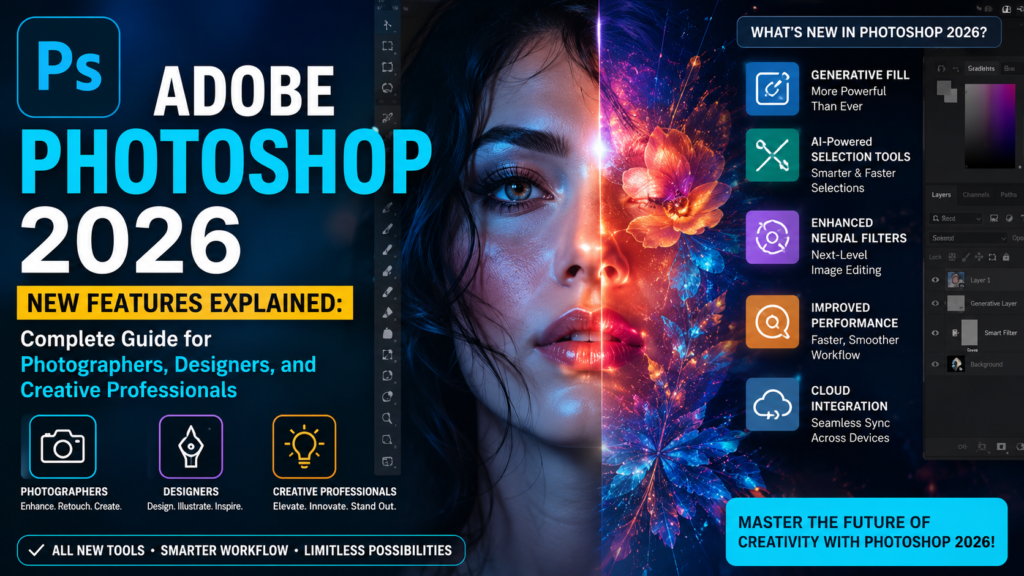
Adobe Photoshop 2026 New Features Explained: Complete Guide for Photographers, Designers, and Creative Professionals
Adobe Photoshop has been the leading image editing software for photographers, designers, marketers, and creative professionals for decades. With every major update, Adobe focuses on improving creativity, speed, automation, and professional workflow. The release of Adobe Photoshop 2026 brings a new generation of editing capabilities by combining advanced artificial intelligence, smarter automation, improved performance, and more flexible creative controls.
The latest Photoshop version is not only about adding new tools. It is designed to solve real problems faced by modern creators — reducing repetitive tasks, improving editing accuracy, saving production time, and helping professionals achieve higher-quality results.
For photographers working with thousands of images, eCommerce brands managing product photos, designers creating marketing materials, and agencies delivering client projects, Photoshop 2026 introduces features that can significantly improve the entire editing process.
In this detailed guide, we will explore the new Photoshop 2026 features, how they work, who should use them, practical benefits, common questions, and how these updates are changing professional photo editing workflows.
What Is New in Adobe Photoshop 2026?
Adobe Photoshop 2026 introduces several improvements focused on intelligent editing and creative control.
The biggest updates include:
- Advanced AI-powered editing improvements
- More realistic Generative Fill results
- Improved Generative Expand
- Smarter object removal
- Better subject selection
- Enhanced adjustment layers
- Improved color correction workflow
- Faster performance
- Better layer organization
- More accurate image manipulation
- Improved professional retouching capabilities
These updates help users complete complex editing tasks faster while keeping the final image natural and professional.
Adobe Photoshop 2026 and the Growth of AI Photo Editing
Artificial intelligence has completely changed the photo editing industry. Earlier, tasks like background replacement, object removal, image expansion, and detailed retouching required hours of manual work.
Photoshop 2026 uses AI as an assistant rather than replacing creative professionals.
The goal is simple:
Less time spent on repetitive editing. More time focused on creativity and quality.
Professional editors can still control every detail while using AI-powered tools to speed up their workflow.
For example:
A photographer editing a wedding album can quickly remove unwanted objects from hundreds of images.
An eCommerce company can create clean product backgrounds without manually cutting every product.
A designer can generate creative concepts faster before finalizing the design.
-
Improved Generative Fill in Photoshop 2026
Generative Fill is one of the most popular AI features introduced in Photoshop, and Photoshop 2026 makes it more powerful.
Generative Fill allows users to add, replace, or remove elements from an image using simple text instructions.
Instead of manually creating objects with multiple tools, users can describe what they want Photoshop to create.
Example:
A photographer has a beach image but wants a more dramatic sky.
They can select the sky area and enter:
“Create a golden sunset sky with realistic clouds.”
Photoshop generates a new version that matches the original image.
Improvements in Generative Fill
Photoshop 2026 improves Generative Fill with:
More Natural Results
Earlier AI-generated edits sometimes looked artificial. The latest improvements focus on:
- Realistic lighting
- Better shadows
- Natural textures
- Improved perspective
- More accurate colors
This helps generated elements blend naturally with the original photograph.
Better Understanding of User Instructions
Photoshop can better understand detailed prompts.
Instead of simple commands:
“Add flowers”
Users can provide more creative directions:
“Add realistic white flowers on the table with soft natural window lighting.”
The result becomes closer to the user’s creative vision.
Professional Uses of Generative Fill
Generative Fill is useful for:
Product Photography
Brands can:
- Change backgrounds
- Create lifestyle scenes
- Remove unwanted items
- Improve product presentation
Real Estate Photography
Editors can:
- Enhance skies
- Remove distractions
- Improve empty spaces
Fashion Photography
Professionals can:
- Adjust environments
- Create creative backgrounds
- Improve campaign visuals
-
Generative Expand Improvements
Generative Expand allows users to increase image size beyond the original frame.
This feature is extremely useful because photographers often capture images that need different aspect ratios.
For example:
A portrait photograph may need to become:
- Instagram square format
- Website banner format
- Advertisement size
- Magazine layout
Previously, expanding an image required manually creating additional background areas.
Photoshop 2026 uses AI to analyze:
- Existing objects
- Colors
- Perspective
- Lighting
- Image composition
and creates additional areas that look natural.
Why Generative Expand Matters for Businesses
Modern businesses require images for multiple platforms.
One photograph may need versions for:
- Website banners
- Social media posts
- Online advertisements
- Email campaigns
- Product catalogs
Photoshop 2026 helps creators adapt images quickly without reshooting.
-
Advanced Remove Tool Improvements
Removing unwanted objects is one of the most common editing tasks.
Photoshop 2026 improves the Remove Tool to make cleanup faster and more accurate.
Users can remove:
- People in backgrounds
- Dust spots
- Wires
- Signs
- Unwanted objects
- Reflections
- Small distractions
The updated tool analyzes surrounding pixels and rebuilds missing areas more naturally.
Example: Professional Photo Retouching
Imagine a luxury product photograph containing:
- Small dust particles
- Unwanted reflections
- Background distractions
Instead of manually cloning every area, editors can quickly clean the image while maintaining a realistic appearance.
-
Improved Object Selection Tool
Selecting objects accurately is one of the most important parts of professional editing.
Photoshop 2026 improves object detection technology.
The selection system works better with difficult subjects such as:
- Hair
- Fur
- Transparent objects
- Jewelry
- Complex products
- Multiple subjects
This helps editors create cleaner masks.
Why Better Selection Matters
A perfect selection is the foundation of:
- Background removal
- Product editing
- Photo manipulation
- Color changes
- Creative composites
A poor selection can make an edited image look unrealistic.
Photoshop 2026 reduces this problem by improving edge accuracy.
-
New Clarity Adjustment Workflow
Detail enhancement is important in professional photography.
Photoshop 2026 improves clarity adjustment capabilities, allowing photographers to increase image depth and definition.
Clarity adjustments are commonly used for:
- Architecture photography
- Landscape images
- Product photos
- Automotive photography
- Outdoor portraits
Unlike traditional sharpening, clarity focuses on enhancing local contrast and texture.
-
Improved Dehaze Editing
Outdoor photographers often face problems caused by:
- Fog
- Air pollution
- Atmospheric haze
- Weather conditions
Photoshop 2026 improves haze removal control.
The Dehaze feature helps recover:
- Sky details
- Mountain textures
- Landscape contrast
- Outdoor colors
This is especially useful for travel photographers and real estate photographers.
-
Better Film Grain and Creative Effects
Many photographers prefer the classic film photography look.
Photoshop 2026 improves creative texture control by making grain effects easier to apply.
Creators can produce:
- Vintage photography styles
- Cinematic effects
- Film-inspired images
- Artistic portraits
This gives digital photographs a more emotional and authentic appearance.
-
Faster Photoshop Performance
Professional editors often work with:
- Large PSD files
- Multiple layers
- High-resolution images
- Hundreds of photographs
Photoshop 2026 focuses on improving speed and stability.
Performance improvements include:
- Faster file handling
- Better memory management
- Smoother editing experience
- Improved AI processing
For professionals, even small speed improvements can save hours every month.
-
Improved Workflow for Professional Photo Editors
Photoshop 2026 is designed around productivity.
Professional editors can now:
- Complete projects faster
- Reduce repetitive tasks
- Maintain better quality
- Manage large projects easily
For businesses handling bulk editing, these improvements can increase production efficiency.
How Photoshop 2026 Helps Different Industries
Photography Industry
Photographers can improve:
- Portrait retouching
- Wedding albums
- Fashion images
- Commercial photography
eCommerce Industry
Online stores need professional product images.
Photoshop 2026 helps with:
- Background removal
- Product enhancement
- Shadow creation
- Image consistency
Real Estate Industry
Property businesses benefit from:
- Sky replacement
- Lighting improvement
- Object removal
- Interior enhancement
Advertising and Marketing
Marketing teams can create:
- Social media graphics
- Campaign images
- Promotional banners
- Brand visuals
Photoshop 2026 vs Previous Photoshop Versions
| Feature | Older Versions | Photoshop 2026 |
| AI Editing | Basic | More advanced |
| Object Removal | Manual work needed | Faster AI cleanup |
| Selection | Good accuracy | Improved precision |
| Image Expansion | Limited | More realistic |
| Workflow | More manual | More automated |
| Performance | Good | Improved speed |
Frequently Asked Questions About Photoshop 2026
Is Photoshop 2026 good for beginners?
Yes. Beginners can complete many editing tasks faster because AI tools simplify complicated processes.
However, learning basic Photoshop skills is still important for professional-quality results.
Is Photoshop 2026 useful for professional photographers?
Yes. Professional photographers can benefit from faster retouching, improved selections, better AI tools, and more efficient workflows.
Can Photoshop 2026 replace professional photo editors?
No. AI can speed up editing, but professional editors provide creative decisions, quality control, and artistic judgment.
Is Photoshop 2026 worth upgrading?
For users who edit images regularly, the improved AI tools, workflow improvements, and performance upgrades make it a valuable update.
Does Photoshop 2026 support AI editing?
Yes. AI-powered features are a major part of the new Photoshop experience.
What type of photos can Photoshop 2026 edit?
Photoshop 2026 can edit:
- Portrait photos
- Wedding photography
- Product images
- Real estate photos
- Fashion photography
- Landscape images
- Commercial images
Final Thoughts: Is Adobe Photoshop 2026 the Future of Photo Editing?
Adobe Photoshop 2026 represents the next stage of professional image editing. Instead of replacing creativity, it gives photographers and designers more powerful tools to express their ideas.
The combination of artificial intelligence, advanced editing controls, faster performance, and improved workflow makes Photoshop 2026 a valuable upgrade for creative professionals.
For businesses and photographers managing large volumes of images, these improvements can reduce editing time while maintaining professional quality.
Professional photo editing still requires experience, attention to detail, and creative understanding. The best results come from combining advanced software tools with expert editing skills.
If you need professional image editing solutions including photo retouching, product photo editing, background removal, clipping path services, real estate photo enhancement, jewelry editing, and bulk image processing, you can explore expert services here:
https://www.photoeditingservicesco.com/
Professional editing support can help photographers, brands, and businesses achieve high-quality visuals while saving valuable time.
