
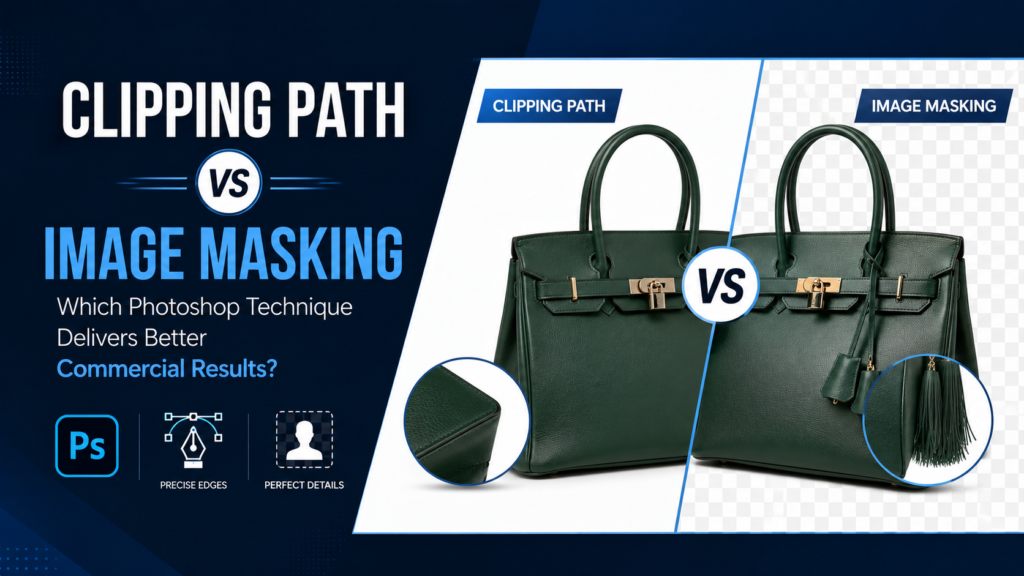
Clipping Path vs Image Masking: Which Photoshop Technique Delivers Better Commercial Results?
Introduction
Every professional photo editor eventually faces the same question: should this image be edited with a clipping path or image masking?
At first glance, both techniques appear to accomplish the same goal—they separate a subject from its background. In reality, they solve completely different editing challenges. Choosing the wrong method can create jagged edges, unnatural cut-outs, visible halos, and time-consuming revisions.
For eCommerce businesses, photographers, advertising agencies, fashion brands, and print companies, understanding when each technique should be used is more important than ever. Product catalogs contain everything from polished metal watches and leather shoes to curly hair, transparent glass, delicate lace, and flowing fabrics. No single editing method works perfectly for every image.
This guide explains how clipping paths and image masking differ, when each technique delivers the best results, common mistakes professionals avoid, and why manual Photoshop workflows continue producing superior commercial-quality images.
Why Background Isolation Matters in Commercial Editing
Removing a background is rarely the final goal.
Instead, it allows businesses to:
- create consistent product catalogs
- prepare marketplace-ready images
- produce print materials
- replace distracting backgrounds
- create advertising creatives
- generate transparent PNG files

The quality of background isolation directly affects how professional the final image appears.
Clean edges create confidence.
Poor edges create doubt.
What Is a Clipping Path?
A clipping path is a manually drawn vector path created using Photoshop’s Pen Tool.
Instead of automatically detecting edges, the editor carefully traces around the subject, creating an editable path that precisely defines the object’s outline.

The finished path can then be used to:
- remove backgrounds
- create transparent images
- isolate products
- prepare print-ready files
- generate reusable cut-outs
Unlike automated selections, clipping paths remain editable without damaging the original image.
How a Clipping Path Works
The process follows several careful steps.
Step 1
The editor zooms into the image.
Step 2
Anchor points are placed around the object’s edge.
Step 3
Curves are adjusted using Bezier handles.
Step 4
The completed path forms a closed vector outline.
Step 5
The background can now be removed or replaced.
This precision makes clipping paths ideal for products with clearly defined edges.
Products Best Suited for Clipping Paths
Clipping paths work exceptionally well on objects with solid outlines.
Examples include:
Footwear
Clean curves make shoes ideal for manual clipping.
Electronics
Straight edges and defined corners allow extremely accurate paths.
Bottles
Glass containers often require clipping combined with reflection adjustments.
Furniture
Strong outlines help maintain realistic proportions.
Watches
Precision around straps and bezels produces premium-quality results.


These products benefit from the accuracy that manual paths provide.
What Is Image Masking?
Image masking is a non-destructive editing technique that hides unwanted areas while preserving fine details that cannot be recreated with simple vector paths.
Instead of drawing a hard outline, masking gradually blends selected areas using grayscale information.

Masking preserves:
- individual hair strands
- fur texture
- transparent materials
- smoke
- fabric fibers
- soft edges
This makes masking essential for complex subjects.
How Image Masking Works
Masking operates differently from clipping paths.
Instead of relying on a single outline, Photoshop uses:
- layer masks
- alpha channels
- edge refinement
- manual brush adjustments
White reveals pixels.
Black hides pixels.
Gray creates partial transparency.
This flexibility allows editors to preserve extremely delicate details.
Subjects That Require Image Masking
Some objects simply cannot be edited with clipping paths alone.
Examples include:
Curly Hair
Thousands of individual strands require soft transitions.
Animal Fur
Natural texture disappears if clipped aggressively.
Lace Fabric
Tiny openings must remain transparent.
Glass Objects
Transparent edges need careful preservation.
Smoke Effects
Soft gradients require gradual masking.


These images demand more than a hard vector edge.
Clipping Path vs Image Masking: Side-by-Side Comparison
|
Feature |
Clipping Path |
Image Masking |
|---|---|---|
|
Edge Type |
Hard |
Soft |
|
Hair |
Poor |
Excellent |
|
Fur |
Poor |
Excellent |
|
Glass |
Limited |
Better |
|
Transparent Fabric |
Limited |
Excellent |
|
Product Catalogs |
Excellent |
Good |
|
Print Work |
Excellent |
Good |
|
Editable Vector |
Yes |
No |
Neither technique is universally better.
The subject determines the correct workflow.
Why Professionals Often Combine Both Techniques
Experienced Photoshop editors rarely limit themselves to one method.
Instead, they combine techniques.
Example:
A luxury handbag may require:
- clipping path for the leather body
- masking for decorative tassels
- shadow reconstruction
- reflection cleanup

This hybrid workflow produces cleaner commercial results.
Why AI Background Removal Still Misses Difficult Details
AI tools have dramatically improved.
However, commercial editing still exposes their limitations.
Common AI mistakes include:
- missing hair strands
- uneven edges
- broken transparent objects
- halo effects
- distorted curves
These problems become especially noticeable on large product catalogs.
Manual quality control remains essential for premium image editing.
The Most Common Clipping Path Mistakes
Even experienced beginners make avoidable errors.
Too Few Anchor Points
Large curves become uneven.
Too Many Anchor Points
Edges become bumpy.
Sharp Corners on Rounded Objects
Products lose their natural appearance.
Inconsistent Curves
The final cut-out appears mechanical.
Professional editors carefully balance precision with smoothness.
Common Image Masking Mistakes
Masking also has its own challenges.
Over-Refined Hair
Hair appears plastic.
Lost Transparency
Glass looks opaque.
Halo Edges
Old backgrounds become visible.
Excessive Softness
Products lose edge definition.
The best masking preserves realism.
When eCommerce Businesses Should Choose Clipping Paths
Product catalogs often contain thousands of images.
For products with clean edges, clipping paths provide:
- consistent white backgrounds
- marketplace compliance
- faster catalog production
- reusable vector paths
This makes them ideal for:
- Amazon listings
- Shopify stores
- Walmart Marketplace
- wholesale catalogs
Consistency becomes easier across large inventories.
When Fashion Brands Need Image Masking
Fashion photography frequently contains:
- flowing hair
- textured fabrics
- lace
- chiffon
- scarves
These details require masking to maintain their natural appearance.

Hard clipping would remove valuable texture.
Why Jewelry Editing Often Uses Both Methods
Jewelry presents unique editing challenges.
Editors typically combine:
- clipping paths for metal outlines
- masking for reflections
- retouching for dust removal
- shadow enhancement

This combination produces premium-quality luxury images.
How Professional Editors Maintain Edge Quality
Edge quality separates amateur editing from commercial editing.
Professionals typically:
- zoom to high magnification
- inspect every corner
- smooth curves manually
- refine transitions
- verify against multiple backgrounds
An edge that looks clean on white may reveal flaws on darker backgrounds.
Quality control prevents surprises.
File Formats After Background Removal
Different projects require different exports.
|
Format |
Best Use |
|---|---|
|
PNG |
Transparent backgrounds |
|
JPG |
Websites |
|
Editable files |
|
|
TIFF |
Print production |
|
WebP |
Faster websites |
Choosing the correct format protects image quality.
Quality Checklist Before Delivery
Professional editors typically review every image before export.
Edge Quality
- Smooth curves
- No jagged lines
Background
- Completely removed
- No halos
Color
- Accurate product appearance
- Balanced exposure
Shadows
- Natural appearance
- Proper positioning
File Quality
- Correct dimensions
- Appropriate resolution
This final inspection ensures commercial readiness.
Future of Professional Background Removal
Background removal continues evolving through AI-assisted workflows.
However, the future is unlikely to eliminate manual editing.
Instead, professionals increasingly use automation for repetitive tasks while relying on experienced editors for quality control, complex masking, luxury product retouching, and commercial finishing.
Businesses demanding premium results continue valuing precision over speed alone.
Frequently Asked Questions
Is clipping path better than image masking?
Neither is universally better. Clipping paths work best for products with defined edges, while masking is essential for hair, fur, transparent objects, and soft edges.
Can clipping paths handle transparent products?
Not perfectly. Transparent objects usually require masking alongside other Photoshop techniques.
Why do luxury brands prefer manual clipping?
Manual clipping creates cleaner curves, smoother edges, and higher-quality commercial results than automated selections.
Does image masking reduce image quality?
No. Layer masking is a non-destructive technique that preserves original image data.
Can both techniques be used together?
Yes. Many professional editors combine clipping paths, masking, shadow creation, and retouching within a single workflow.
Conclusion
Choosing between clipping paths and image masking is not about selecting the more advanced Photoshop tool—it is about selecting the right solution for the subject being edited. Products with clean, defined edges benefit from the precision of manual clipping paths, while complex subjects like hair, fur, lace, and transparent materials require the flexibility of image masking to preserve natural detail.
For businesses managing eCommerce catalogs, fashion photography, jewelry campaigns, advertising projects, or print production, combining these techniques with professional quality control creates cleaner edges, more realistic results, and consistent visuals across every platform.
Need Professional Clipping Path and Image Masking Services?
If you’re looking for manual clipping paths, advanced image masking, background removal, product retouching, shadow creation, and commercial-quality photo editing, explore the professional services available at Photo Editing Services Company.
Website: https://www.photoeditingservicesco.com/
